Parallax
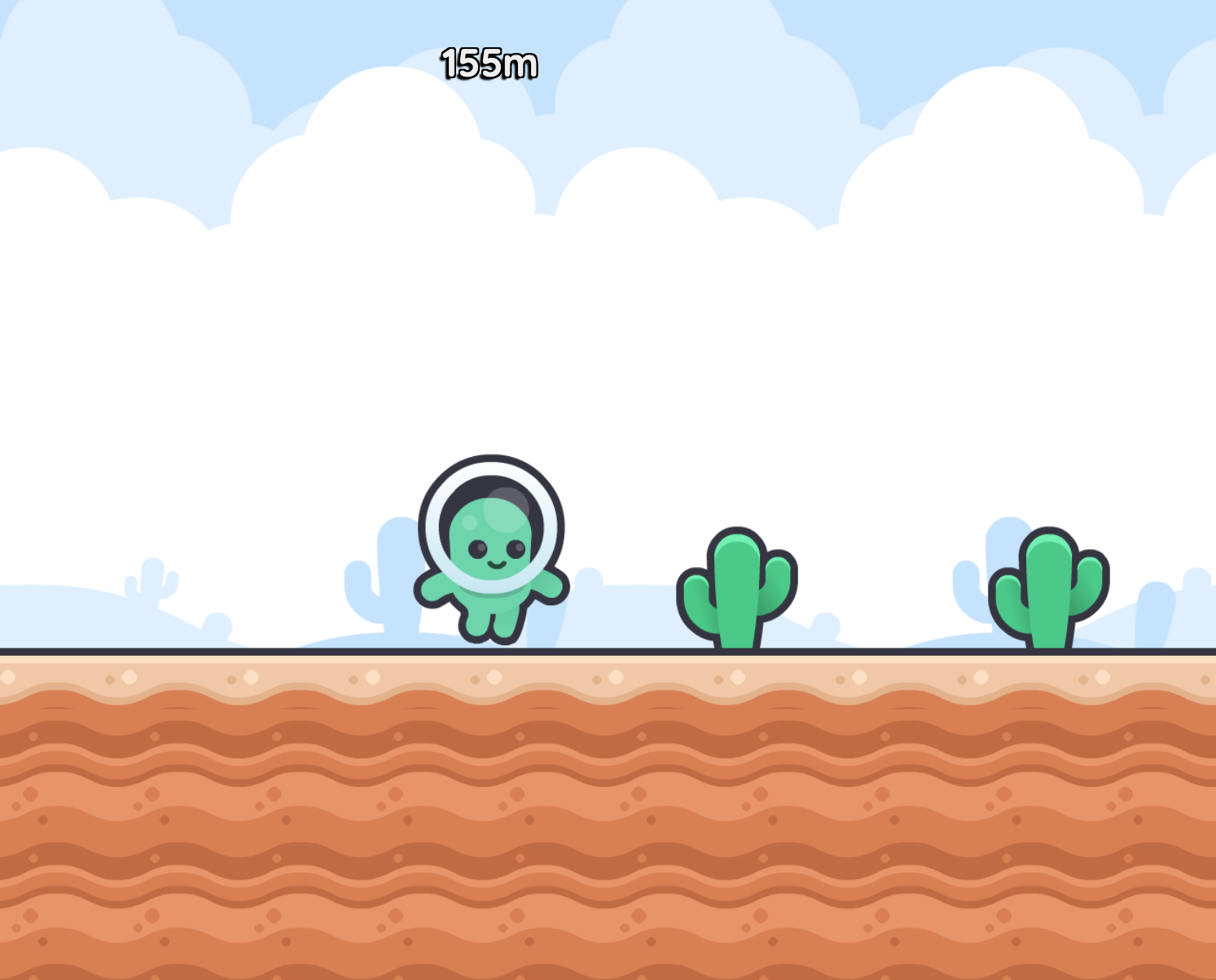
How can I make a background that scrolls slower than the foreground?
To make a parallax background that scrolls slower than the foreground, you can use a second camera. The camera will be more zoomed out and so will move more slowly than the main camera, creating a parallax effect.
In this example we will create an infinite runner game where the player is running through a desert with clouds in the sky. They must jump over cactii for as long as they can.
Step 1: Create a parallax camera
To create a parallax camera, spawn a globally-accessible entity to represent your parallax camera,
pub const Camera:Parallax = Spawn camera {
    SolidBackground(#c6e3fe)
    Subcamera(parent=World, radiusMultiplier=2)
    Viewport(order=-100)
}
- Use the Subcamera function to make the parallax camera follow the main camera (
parent=World), but with aradiusMultipliergreater than 1 so that it is more zoomed out and moves more slowly. - The viewport for this camera should be behind the main camera as it is the background,
so give it a negative
ordervalue.
Step 2: Render sprites to the parallax camera
Use the camera parameter of ImageSprite to render sprites to the parallax camera
instead of the main camera.
pub game fn World.Main() {
    ImageSprite(body=@(0, 0), image=@background_fade_desert.png, radius=10, repeatX=10000, camera=Camera:Parallax)
    ImageSprite(body=@(0, -20), image=@background_clouds.png, radius=10, repeatX=10000, camera=Camera:Parallax)

    // ...
}
We are giving our background images a big repeatX value so that they will repeat horizontally across the screen
almost into infinity, so that the player can move around the world without running out of background.
Step 3: Aim your main camera
Now you can just aim your main camera at your player's character as normal, and the parallax camera will follow it automatically. In our example, we are going to aim the camera slightly above and ahead of the player so that they can see where they are running.
pub fn unit.Hero([owner, scene]) {
    use body=this, radius=TileRadius, shape=Capsule(radius=, extent=0.5*radius, anchor=-1, angle=-0.25rev)

    Body(pos=@(0, -TileRadius), velocity=@(10, 0), noRotation=true)

    PolygonCollider(category=Category:Hero, intercept=true)
    ImageSprite(image=@character_green_walk_*.png, radius=2*radius, imageAnchor=@(0, 0.5))

    on Paint {
        Camera(body=@(Pos.X + 3*Tile, -3*Tile), radius=10, panningRate=0.5)
    }

    // ...
}
Full Code Listing
Thanks to Kenney for the art used in this example!
pub tangible category Category:Ground
pub tangible category Category:Hero
pub tangible category Category:Obstacle

pub const Camera:Parallax = Spawn camera {
    SolidBackground(#c6e3fe)
    Subcamera(World, radiusMultiplier=2)
    Viewport(order=-100)
}

pub const TileRadius = 1
pub const Tile = 2*TileRadius

pub prop World.ScrollX = 0
pub signal World.PlayAgain

pub game fn World.Main() {
    ImageSprite(body=@(0, 0), image=@background_fade_desert.png, radius=10, repeatX=10000, camera=Camera:Parallax)
    ImageSprite(body=@(0, -20), image=@background_clouds.png, radius=10, repeatX=10000, camera=Camera:Parallax)
    Gravity = 25

    Spawn ground { Ground }

    loop {
        ScrollX = 0
        await Subspawn scene {
            SpawnEachPlayer owner {
                Subspawn unit {
                    DespawnBefore(scene) // make sure the hero is despawned when the scene ends
                    Hero
                }
            }

            ObstacleSystem

            await PlayAgain
            Expire
        }
    }
}

pub fn unit.Hero([owner, scene]) {
    use body=this, radius=TileRadius, shape=Capsule(radius=, extent=0.5*radius, anchor=-1, angle=-0.25rev)

    Body(pos=@(0, -TileRadius), velocity=@(10, 0), noRotation=true)
    PolygonCollider(category=Category:Hero, intercept=true)
    ImageSprite(image=@character_green_walk_*.png, radius=2*radius, imageAnchor=@(0, 0.5))

    on Paint {
        Camera(body=@(Pos.X + 3*Tile, -3*Tile), radius=10, panningRate=0.5)
    }

    on ButtonDown(KeySpacebar) {
        if QueryAnyContact(filter=Category:Ground) {
            Velocity += @(0, -20)
        }
    }
    on ButtonUp(KeySpacebar) {
        GravityScale = 3
        while !QueryAnyContact(filter=Category:Ground) { await AfterPhysics }
        GravityScale = 1
    }

    on AfterPhysics {
        ScrollX = ScrollX.Max(Pos.X.Quantize(1))
    }

    on BeforeCollide that {
        if that.Category.Overlaps(Category:Obstacle) {
            scene.Subspawn unit { Corpse(pos=Pos, velocity=Velocity) }
            Expire
        }
    }

    TopContent {
        P(fontSize=1.5, bold=true) {
            with ScrollX {
                if ScrollX < 100 {
                    "Press Spacebar to jump, hold to jump further"
                } else {
                    %(ScrollX + "m")
                }
            }
        }
    }
}

pub fn unit.Corpse(pos, velocity, [owner]) {
    use body=this, radius=TileRadius, shape=Capsule(radius=, extent=0.5*radius, anchor=-1, angle=-0.25rev)
    Body(pos=, velocity=Velocity+@(0, -20), turnRate=2rev)
    PolygonCollider(category=Category:Hero, friction=0.2, intercept=true)
    ImageSprite(image=@character_green_hit.png, radius=2*radius, imageAnchor=@(0, 0.5))

    TopContent {
        VStack(align=Align:Center) {
            P(fontSize=3, bold=true) {
                "You died!"
            }
            P(fontSize=1.5, bold=true) {
                %(ScrollX + "m")
            }
            P {
                RaisedButton(KeySpacebar, backgroundColor=Color:Primary) { "Play Again" }
            }
        }
    }

    once ButtonDown(KeySpacebar) {
        PlayAgain
    }
}

pub fn ground.Ground() {
    use body=this, width=10000, height=100*Tile, shape=Rectangle(width=, let height=, pos=@(0, 0.5*height))
    Body(pos=@(0, 0), immovable=true)
    PolygonCollider(category=Category:Ground)

    ImageSprite(image=@terrain_sand_block_top.png, bodyOffset=@(0, TileRadius), repeatX=10000, radius=TileRadius)

    let numCenterRows = (height / Tile) - 1
    ImageSprite(image=@terrain_sand_block_center.png, bodyOffset=@(0, TileRadius + 0.5*numCenterRows * Tile), repeatX=10000, repeatY=numCenterRows, radius=TileRadius)
}

pub fn this.ObstacleSystem() {
    const GenerationWidth = 100

    const CactusSizes = [0.75, 1, 1.5]
    let cactusInterval = 20

    let upToX = 10
    with ScrollX {
        while upToX < ScrollX + GenerationWidth {
            Subspawn unit {
                Cactus(x = upToX + Random*GenerationWidth, size=PickRandom(CactusSizes))
            }
            upToX += cactusInterval
            cactusInterval *= 0.98
        }
    }
}

pub fn unit.Cactus(x, size=1) {
    use body=this, width=size*0.5*Tile, height=size*Tile, shape=Rectangle(width=, height=)
    Body(pos=@(x, -0.5*height), immovable=true)
    PolygonCollider(category=Category:Obstacle)
    ImageSprite(image=@cactus.png, radius=0.5*height)

    // Expire once off-screen
    with ScrollX {
        if ScrollX > Pos.X + 100 { Expire }
    }
}