Easel now has Tilemaps! (November 2026 update)

How do you make a game that people come back to again and again?
You need content. You need to make a world that has enough content to occupy your players for days, weeks, months, or even years.
But how can you make a big world that is fun to explore, while not slowing down your player's computers with an overwhelming amount of data? There is one solution that has been used in games for decades, and that is tilemaps.
Tilemaps let you construct your game world out of a grid of tiles. With grass, dirt and water tiles, you could construct a farmland complete with a river running through it. Reconfigure the tiles, and you could have a desert oasis or a murky forest. It is such a simple, yet powerful way to make games. Best of all, it is incredibly efficient to calculate and render, enabling much bigger worlds than you could have otherwise.
Now that Easel has tilemaps, you can make even bigger worlds that your players can explore together.
Easel is a browser-based 2D game programming language that makes your game multiplayer automatically! Intrigued? Visit our home page to learn more.
Tilemaps
Every game is different. In Easel, tilemaps are actually a collection of features that can be composed to make the tilemap system that is right for your game. The Tilemaps documentation page covers all the features in detail, but here is a quick overview of what they are and how they fit together.
Tiled Sprites and Colliders
First, there are Tiled Sprites and Tiled Colliders, which take care of the rendering and physical aspects of tilemaps respectively. You can layer tiled sprites and colliders on top of each other to create interesting visuals and gameplay mechanics.
- In a train tycoon game, you might have a tiled sprite for the background layer of grass and dirt, another mid-layer for the train tracks, and a foreground layer with carts and carriages.
- In a flood simulation game, you might have one tiled collider representing the water, and another representing the blockades that are holding the water back.
- In a space domination game, you might allow your players to construct their mothership piece-by-piece as a tiled sprite, allowing them to truly make it their own.
- The Dual Grid Tilemap System is a way of separating the drawing and the states of tilemaps onto two offset grids. By focusing on the transitions between terrain types, it dramatically reduces the number of tiles you need to draw, saving you time. Easel's composable approach is flexible enough that you could implement a dual grid system if you want to.
Tiled Sprite features
We wanted to make sure Tiled Sprites were powerful enough for real games. That is why they don't just display images, they also support:
- Images spilling outside their tile bounds - lets you draw trees that are many times taller than a single tile
- Y-sorting - so that players can walk in front of and behind furniture in their house, for example
- Scaling and rotation - so that a single image can be used for all orientations
- Tinting - recolor your trees to show the seasons changing, for example
Spritesheets
Because every image on a tilemap is normally the exact same size, it is common to pack them all into a single grid-based image file called a spritesheet, which looks like this:

Spritesheets are a great way to save memory and bandwidth, and that is why many tools support them directly, for example Aseprite. Now that Easel also supports spritesheets, it is much easier to integrate Easel into your favorite game development workflow.
Example: Sokobanissimo
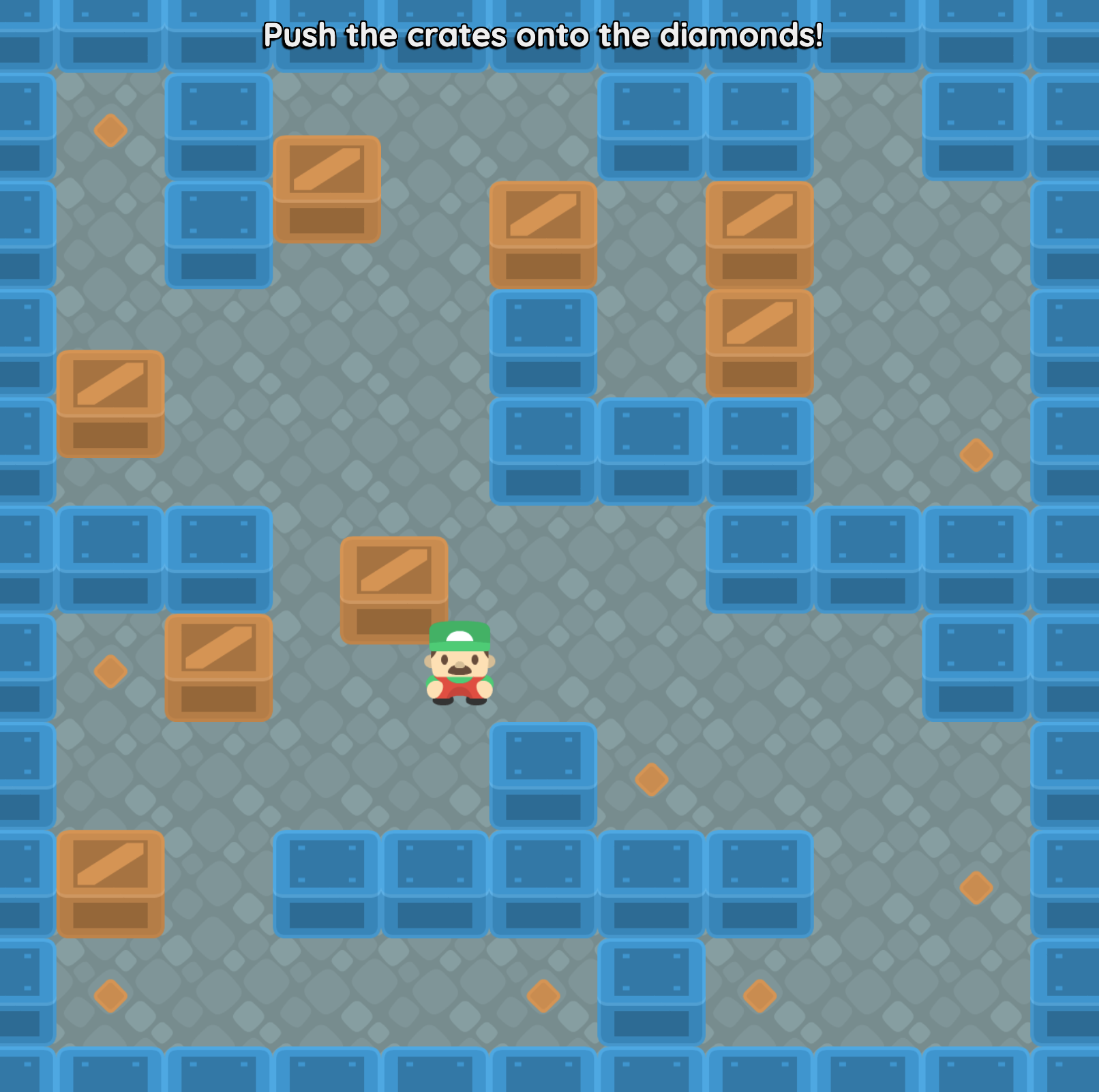
Sokobanissimo uses tilemaps and spritesheets to create a simple Sokoban-style puzzle game. It is designed to be a small, focused example of how to use tilemaps in Easel, and it is a good starting point for your own game.
External Map Editors
To make your world, you need to place rivers, trees, grass and rocks in all the right places. How do you do that? It would be incredibly tedious to write code to place every tile in your world by hand. The best way is to use a map editor that simply lets you draw your world visually, and there are many great map editors out there like Tiled and LDtk.
By combining the Data Import feature with tilemaps, you can author your world in another program and bring it to life with Easel!
Example: Tiny Dungeon
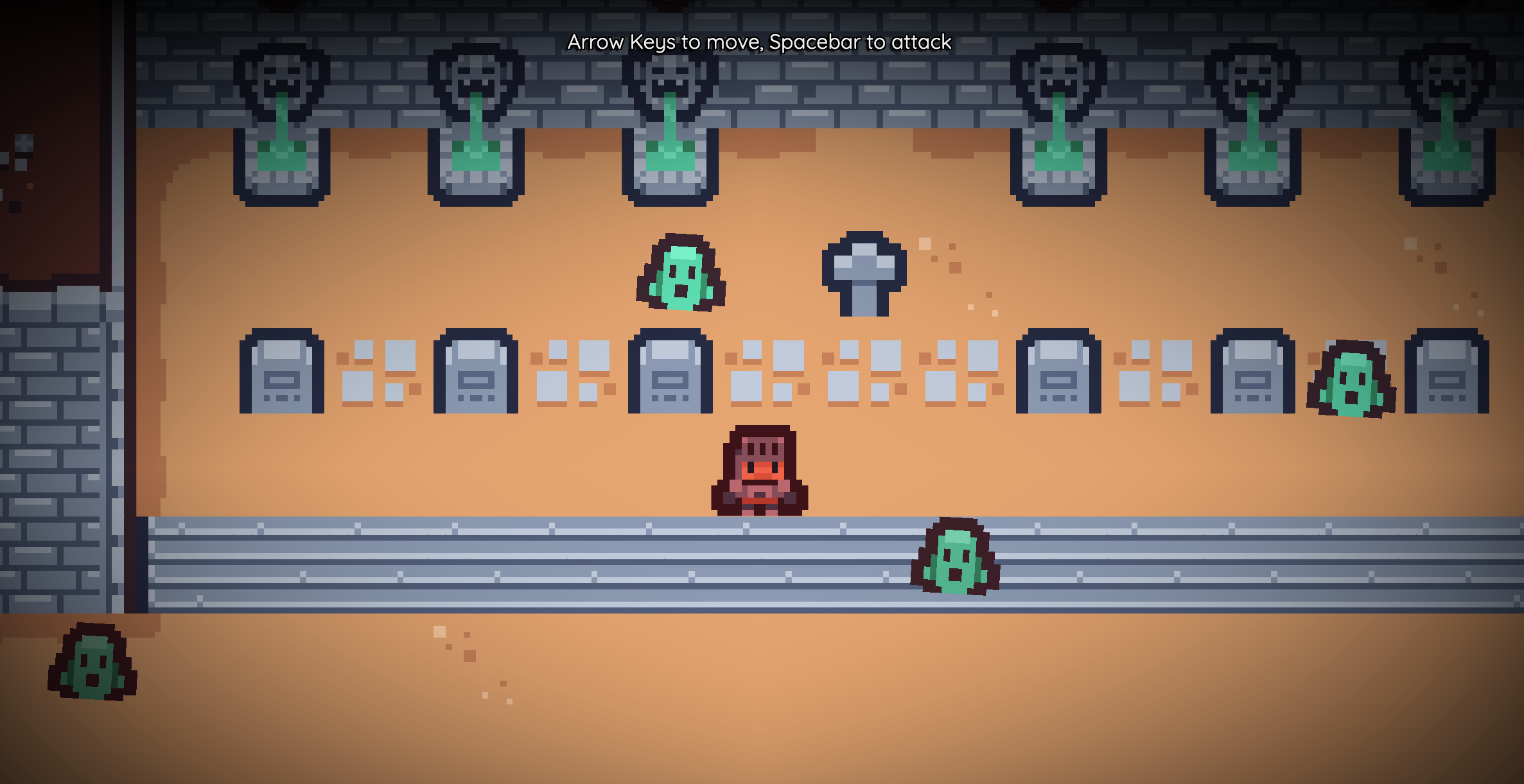
Tiny Dungeon is a little example game where you are a lone knight exploring the depths of a dungeon filled with monsters. The map is 85 columns by 60 rows (5100 tiles), a scale only made possible because the map was made with Tiled. This example is designed to demonstrate some of the best practices for using Tiled with Easel, including:
- How to organize your Tiled and Easel projects so they work well together
- How to import the Tiled data into Easel and use it to create a playable game
- How to use metadata in Tiled to drive game logic in Easel
Check out Tiny Dungeon to see how it works, and be inspired to make your own game with Tiled and Easel!
Reactive State
Another key problem to solve is, how to store the state of the world when using tilemaps?
Let's say you're making a mining game where players can dig for gold. You might have a tilemap that represents dirt and rock, and as the player digs, the tiles change from dirt to empty space. How would you store that data?
In approaching this problem, we realized that we already have all the tools we need: Arrays, Maps and Signals. What you should choose depends on your game. The Tilemaps page has a dedicated section that goes through all the possibilities, and the pros and cons of each approach.
What's next?
At this time, Tiled Colliders only support rectangular colliders. We would love to support ramps and slopes, but that will have to go into a future update! Don't forget that regular, non-tiled colliders can be used alongside tiled colliders, so you can still make ramps and slopes in your game.
Thanks for being here!
Tilemaps are a huge leap forward for Easel. Now, with the help of Tiled, you can make big, engaging games that your players will want to come back to again and again. Thank you once again for your support, and we can't wait to see what you make next with Easel!
Game of the month: If you haven't already, check out Window Shopping, a game where you break windows and steal the loot inside, made just this past month with Easel!